Recently, from Visual Studio, after connecting to CRM organization using D365 DEV toolkit, we tried to create a plugin for Contact entity. While creating, we got error message: Value can not be null, Parameter name : path.
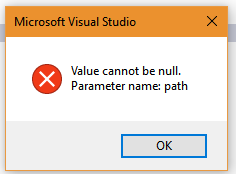
To fix this issue, we updated the path of D365 plugin registration tool and bin folder as mentioned below:
Steps:
- Open Visual Studio
- Go to Tools –> Options.
- Update the paths mentioned above as shown here:

- Click on OK.
Then, we tried to create the plugin for Contact entity and it worked.
Hope it helps.


 Ajit Patra